A thermostat not working is the cheapest component to replace and the most frequently blamed. Five minutes of checks separates a $20 pack of batteries from a $150 to $250 after-hours diagnostic: mode, setpoint, batteries, breaker, then the filter.
A thermostat not working has lost power, lost its connection to the equipment, or is set wrong. Batteries, mode, a tripped furnace breaker and a missing common wire account for the majority, and all can be checked without tools.
Blank screen or displaying but not working?
What does a blank thermostat screen mean?
A power problem. Dead batteries, a tripped furnace or air-handler breaker, an open furnace door switch, or a blown low-voltage fuse on the control board. A thermostat with a working display that produces no response from the equipment is a completely different investigation.
No page ranking for thermostat not working makes that split, and it matters because the two branches share almost no causes. Establish which you have before reading any further.
Five-minute rule-out
Work these four in order
01
Batteries
Fresh ones, correct orientation. A thermostat with dying batteries often still shows a display while failing to close the relay that calls the equipment.
02
Mode and setpoint
Heat or cool, not auto or off. Setpoint several degrees past the current room temperature, because a one-degree call may not be enough to trigger a cycle.
03
Furnace and air-handler breakers
Most thermostats are powered by the equipment rather than by the wall, so a tripped furnace breaker takes the thermostat with it.
04
The access panel
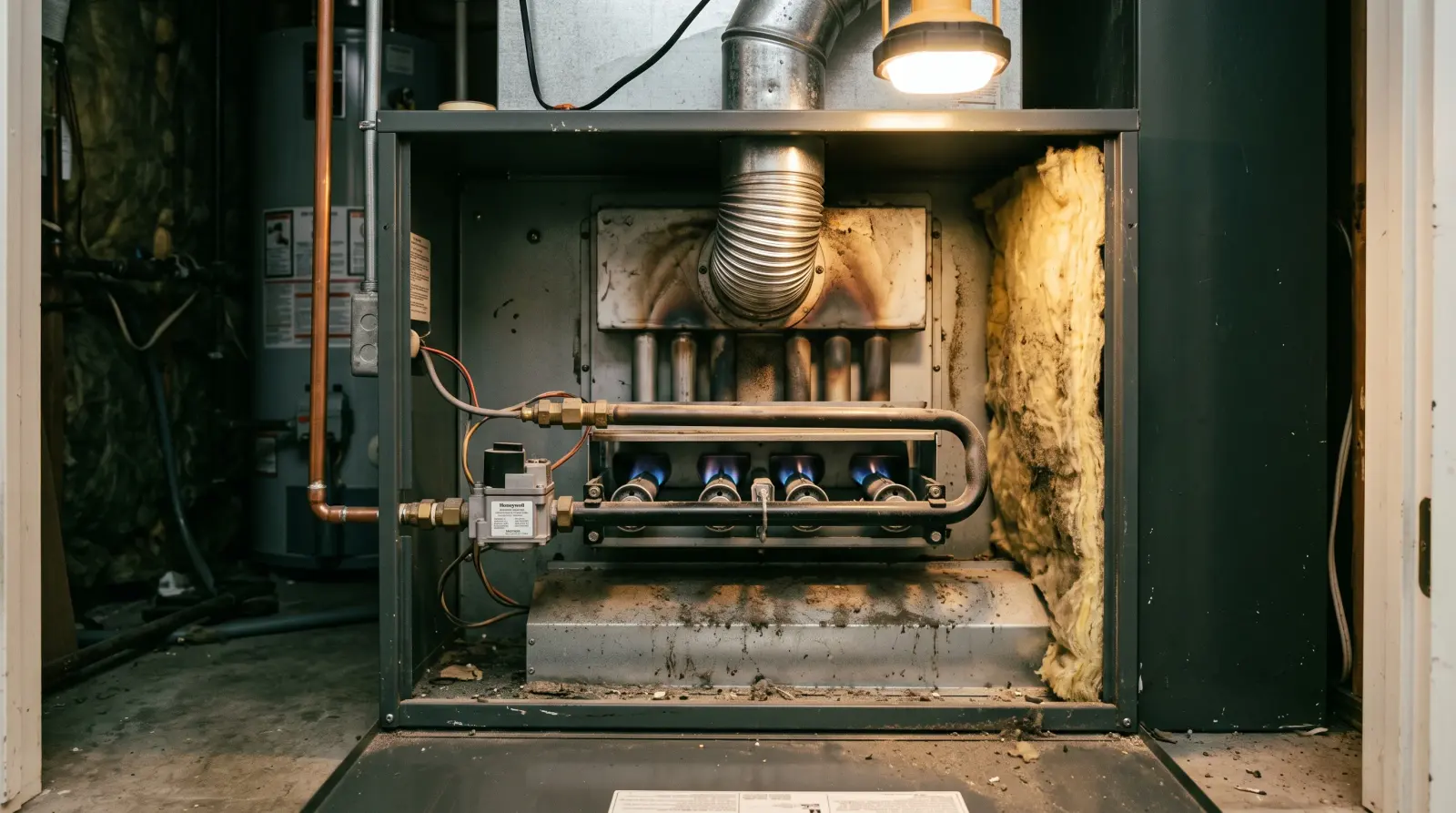
A furnace door that is not fully seated opens an interlock switch and cuts power to the whole system, thermostat included. Common after a filter change.
Thermostat not working with a blank screen: why it loses power
Most people assume a thermostat is powered from the wall like a light switch. It is not.
The low-voltage power comes from a transformer inside the furnace or air handler, so anything cutting power to the equipment kills the thermostat: a tripped breaker, an unseated access panel, or a blown fuse on the control board.
The practical consequence is that a blank thermostat is often a furnace problem wearing a thermostat costume. Our page on a furnace that will not turn on covers the door switch and the power switch that cause it.
The C-wire problem behind most smart thermostats
This is the dominant modern failure and it is barely covered anywhere on this SERP.
Traditional thermostats are switches: no continuous power needed, because they only close a contact when heat is wanted. A smart thermostat is a computer with a screen and a radio, and needs power all the time.
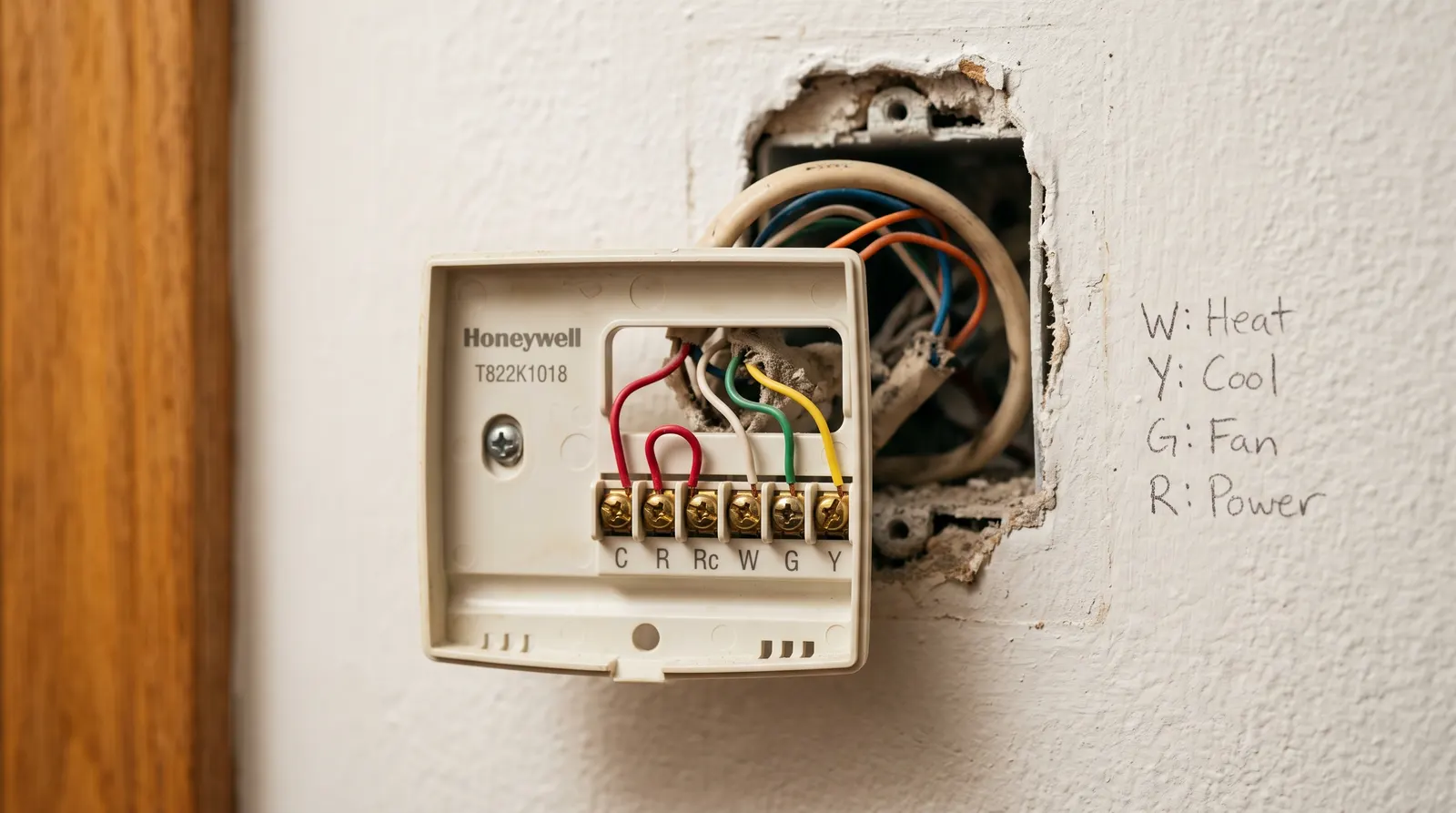
Where a common wire, the C-wire, exists it gets that power cleanly. Where one does not, the thermostat has to steal power through the heating or cooling circuit in brief pulses, and the results are the symptoms people describe as random.
Random reboots or a screen that goes blank and comes back.
Dropped wifi, particularly overnight when the system is not cycling.
Brief unwanted cycles, where the heating kicks in for thirty seconds for no reason as the thermostat charges itself.
Battery warnings on a mains-powered model, which is the giveaway.
The fix is either an add-a-wire adapter at the furnace, which uses the existing cable differently, or pulling a new cable. Both are inside a normal service visit.
Is it the thermostat or the system?
How does a technician prove the thermostat is at fault?
By bypassing it: jumpering the control terminals at the furnace or air handler so the equipment runs with the thermostat out of the circuit. If it runs, the thermostat or its wiring is the fault; if nothing happens, it never was.
Knowing that this is the test is worth something even though you should not perform it. It explains why a technician spends the first fifteen minutes at the furnace rather than at the thermostat you called about.
It also explains why the thermostat is where every technician’s checklist begins and almost never where it ends. HVAC instructor Craig Migliaccio and heating and air general manager Derek Cole open a no-heat or no-cool call the same way: mode, setpoint, live display, then the filter, the breakers and the equipment.
The thermostat is a precondition to rule out rather than a likely fault.
The trade sits in the emergency HVAC guide, cooling faults on our AC page, and Emergency Services 24H routes the call. Cole’s filter point ends most of these calls: a clogged filter alone can shut the system down, which at the wall looks like a thermostat air handler fault.
The technicians whose material informs this silo discuss the thermostat only as that first check.
None works through a diagnosed thermostat failure on camera, so the C-wire detail comes from manufacturer documentation and field-reported patterns rather than a named expert.
It also explains a bill you might otherwise question. A visit that ends with "the thermostat is fine" has still done the diagnostic work, and that work is what the first hour covers.
Do not rewire a thermostat by guesswork
Thermostat wiring is low voltage and will not hurt you, which is why people experiment with it. Connecting the wrong pair can short the control-board transformer or blow its fuse.
Photograph the existing terminals before you disconnect anything, and match wire to letter rather than to color.
Why a working thermostat can look broken
Three behaviors produce a thermostat not working in appearance only.
Compressor protection delay. In cooling, the system will not restart for three to five minutes after a shutdown. Change the setpoint, hear nothing, and it looks like a failed thermostat.
A schedule overriding you. Programmable thermostats revert to their schedule at the next set point unless you press hold. People change the temperature, walk away, and find it back where it was an hour later.
Hold left on months ago. The opposite problem, where the schedule never runs because someone set a permanent hold last winter.
Resetting yours, brand by brand
Generic advice to reset your thermostat ignores that the method differs completely between types.
Battery-powered: remove the batteries for a full minute, then refit. That is the whole reset.
Smart thermostats: a factory reset in the settings menu. Write down your schedule first, because it will be erased.
Hardwired, no batteries: switch off the furnace or air-handler breaker for a minute.
All types: after any reset, check the mode, the setpoint and the fan setting before deciding it did not work.
Know the line
Safe to check yourself, or call a pro now?
Safe to check yourself
Replacing batteries and checking mode, setpoint and fan setting
Checking the furnace and air-handler breakers
Reseating the furnace access panel
Photographing the thermostat terminals before touching anything
Performing the correct reset for your thermostat type
Call a pro now
Bypassing the thermostat at the equipment to prove the fault
Adding a common wire or fitting an add-a-wire adapter
Replacing a blown low-voltage fuse on the control board
Any rewiring where the existing terminals are not documented
A system that runs continuously with the thermostat disconnected
24/7 dispatch network
Get a licensed HVAC technician moving on this
Checks done and the system still does nothing, or a smart thermostat that keeps rebooting. Send the symptoms and licensed, insured HVAC contractors covering your area will contact you directly.
Fire, a gas smell, or an injury? Leave the building and call 911 first, then your gas
utility or power company. Use this form once you are safe.
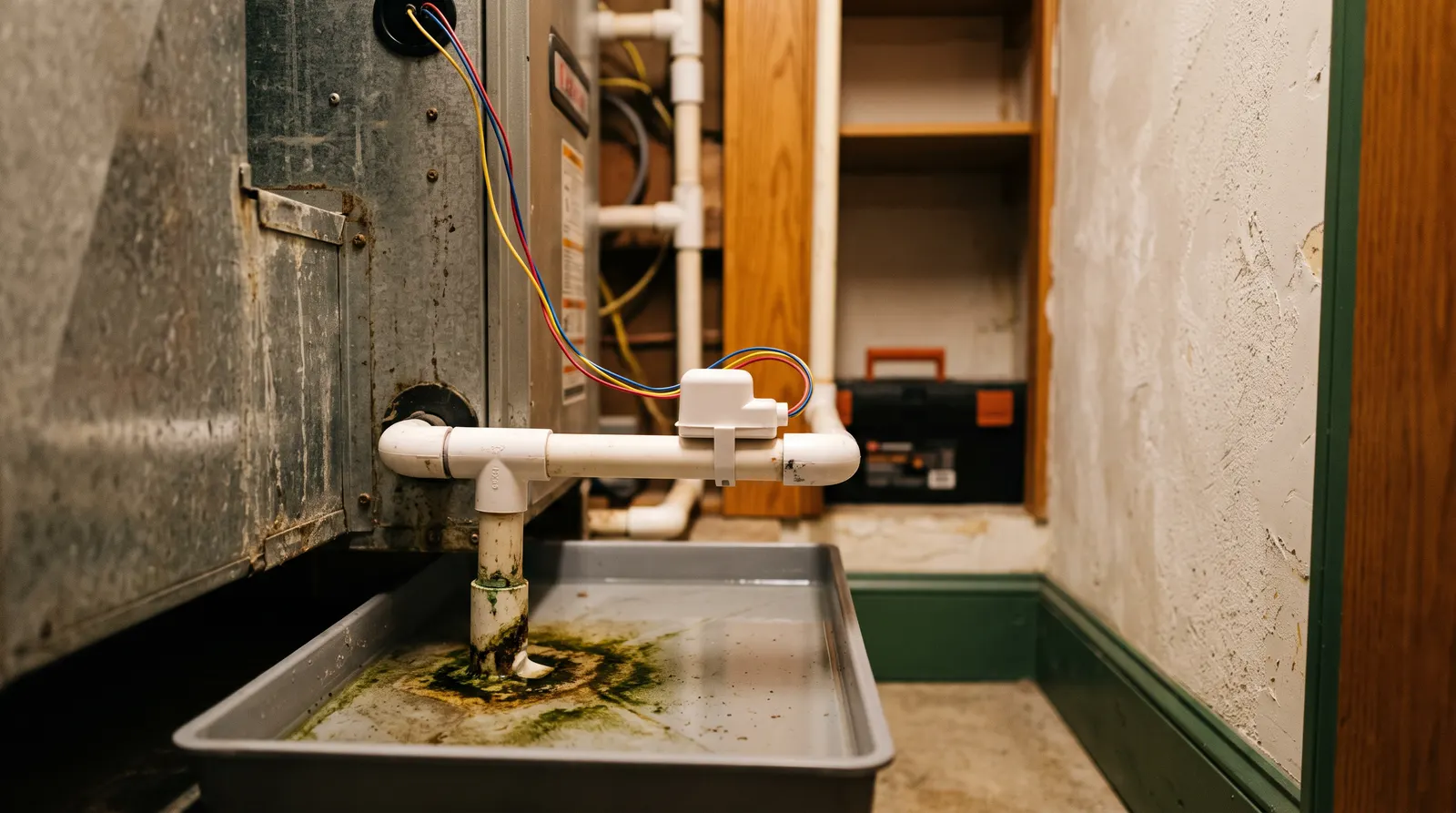
A blank thermostat is often the condensate float switch doing its job, not the thermostat failing. Check the drain pan before buying a new one.
Replace or call: what each costs
Indicative US ranges. Always get a written quote.
Job
Typical range
Notes
After-hours diagnostic fee, weeknight
$150–$250
Before any repair work
After-hours diagnostic fee, holiday
$225–$500
Top of the band on major holidays
Emergency labor multiplier
1.5×–3×
Applied to the standard hourly rate
Thermostat replacement labor
usually inside one hour
Unit price varies widely by model
Adding a common wire
often 1–2 hours
Add-a-wire kit or a new cable run
Source: 2026 emergency HVAC rate aggregator data; HomeGuide 2026 HVAC repair cost guide (retrieved August 2026). Figures vary by region and timing.
Figures last checked
Thermostat unit prices vary too widely to publish a single figure, from basic models to full smart systems, so what is shown here is the labor and call-out side. Replacement is usually inside one hour once the diagnosis is settled.
The add-a-wire line is worth noting if you have a smart thermostat misbehaving, because it is the fix for a symptom people often solve by buying a second smart thermostat. Full rate structure sits in our emergency HVAC rates.
How the matching works, and what we do not do
Emergency Services 24H is a referral service. We do not employ HVAC technicians and we do not sell or fit thermostats.
Your request routes to licensed, insured contractors covering your area, and they contact you directly. Say whether the screen is blank or lit, because that single detail splits the diagnosis in half before anyone arrives.
Cited source~5:00
On the low-voltage side that a thermostat controls: killing the disconnect does not de-energise it.
“When you disconnect power at the outdoor high voltage disconnect, you’re only turning off the high voltage power. You’re still going to have 24 volt power to the sides of the contactor.”
CM
Craig Migliaccio
HVAC technician, instructor and author
AC Service Tech LLC, 2025
An independent source we cite. Not affiliated with Emergency Services 24H, and not a network contractor.
The thermostat is not turning on heat but cooling works. What does that mean?
A thermostat not turning on heat while the air conditioner thermostat function works points at the heating call rather than the power: the W terminal, the furnace wiring, or the furnace. A live display means power, not switching.
Should the fan setting be on or auto on a home thermostat?
Auto for normal use. On runs the blower continuously, which circulates room-temperature air between cycles and is the single most common reason a working heating system feels like it has stopped.
Why is my thermostat suddenly not working?
Start at the screen. A blank display is a power problem: dead batteries, a tripped breaker, an open door switch, or a blown low-voltage fuse. A live display with a dead system is settings, wiring or equipment.
Is there a reset button on a thermostat?
Rarely a dedicated button. On battery models, removing the batteries for a minute is the reset; on smart thermostats it is a factory-reset menu option, and on hardwired units a breaker cycle. Note your schedule first.
How do I know if my thermostat is broken?
The definitive test is bypassing it: jumpering the control terminals so the equipment runs directly. If it runs, the thermostat or its wiring is at fault; if nothing happens, the fault is in the equipment.
What is the most common cause of a thermostat failure?
Dead batteries by a wide margin, then loss of power from the equipment side, and on smart thermostats a missing common wire. Without a C-wire the thermostat steals power through the heating circuit and browns out.
Why does my smart thermostat keep restarting?
Almost always a missing or intermittent common wire. Smart thermostats need continuous power for wifi and the display, and without a C-wire they pulse it through the heating circuit: random reboots, dropped wifi, brief unwanted heating.
What are the first signs of a bad thermostat?
A display that flickers or resets, a room temperature reading that is several degrees away from an independent thermometer, heating or cooling that runs when nothing has called for it, and setpoint changes that produce no response from the equipment for several cycles.
Behind the faceplate
The condensate safety switch
Most smart thermostats need a common wire. If your system has none, add the C-wire row to any quote you are given.
Tell us what has failed and how soon you need someone. We route your request to licensed, insured contractors covering your area, and they contact you directly.
Fire, a gas smell, or an injury? Leave the building and call 911 first, then your gas
utility or power company. Use this form once you are safe.